If you want the simplest "set-and-forget" monthly cloud bill in Thailand, pick the service that matches your primary device ecosystem first (iPhone/iPad/Mac → iCloud+, Android/Windows/mixed → Google One). Then choose storage by what you back up (photos vs full device). For Samsung users, check whether your backups rely on OneDrive rather than a separate Samsung Cloud plan.
Monthly Cost Snapshot and Value Verdict
- Best value usually comes from ecosystem fit: iCloud+ is frictionless on Apple; Google One is more flexible across Android/Windows and Google apps.
- Don't buy storage for "phone capacity"; buy for backup size (photos/video + app/device backup) and expected growth.
- Family sharing can beat "bigger solo plans" if 2-6 people share one pool and you keep private libraries separate.
- Samsung owners should verify the real destination of Gallery/Device backups (Samsung Cloud features vs OneDrive integration) before paying anything.
- Use cost-per-GB only after narrowing candidates; usability, restore speed, and cross-device access often matter more than a small price gap.
Price Tiers, Storage Caps and What You Actually Get
Before you search for "สมัคร iCloud รายเดือน ราคา", "Google One ราคา รายเดือน", or "Samsung Cloud สมัครรายเดือน ราคา", decide using the criteria below. Prices and plan names can differ by country, billing channel, and promotions, so confirm inside your Apple ID subscriptions or Google Play subscriptions.
- Primary devices: iPhone/iPad/Mac vs Android/Chromebook vs mixed household.
- What you must back up: photos/videos, full device backup, messaging apps, files, project folders.
- Restore workflow: new phone migration, selective restore, web access, and cross-platform retrieval.
- Multi-user sharing: number of people, permission boundaries, and whether each person needs private space.
- Storage growth rate: how fast your camera roll grows (especially 4K/60fps and "Live" style photos).
- App ecosystem perks: Google benefits (Drive/Gmail/Photos integration) vs Apple backup integration.
- Privacy expectations: account security, recovery options, and what happens if you lose access to the account.
- Portability/exit plan: how painful it is to export photos/files to another provider later.
Feature Comparison Table: iCloud vs Google One vs Samsung
If you're asking "แพ็กเกจ iCloud ซื้อแบบไหนคุ้ม" or "Google One แพ็กไหนคุ้ม", treat the options below as a decision shortlist. Use them to pick the right ecosystem first, then the right storage size.
| Variant | Who it fits | Pros | Cons | Choose when |
|---|---|---|---|---|
| iCloud+ (monthly storage plan) | Apple-first users (iPhone/iPad/Mac) | Seamless device backup/restore; tight OS integration; simple upgrade path | Less convenient if your daily workflow is Google/Windows; moving large photo libraries out can take planning | You rely on iPhone backups, iCloud Photos, and want the easiest migration to a new iPhone |
| Google One (monthly storage plan) | Android users; mixed-device users; Google Workspace-style usage | Works well across Android + web + Windows/Mac; storage can cover Drive/Gmail/Google Photos | Backup/restore experience varies by Android brand/model; Google Photos settings can be confusing for quality/storage behavior | Your files and sharing live in Google Drive, and you want one pool for multiple Google services |
| Samsung account cloud features (sync/backup features, where available) | Samsung phone owners who mainly need settings sync | Convenient for Samsung-specific device settings and continuity features | May not behave like a full "extra storage drive"; media/file storage may be handled elsewhere depending on model/region | You only need Samsung settings/app continuity, not a universal file+photo cloud |
| OneDrive via Samsung integration (common for Gallery/PC workflows) | Samsung + Windows PC users; Microsoft 365 users | Strong Windows integration; easy folder/file workflows; good for Office-centric households | Not a single "Samsung Cloud storage" brand experience; photo organization differs from Google Photos/iCloud Photos | Your priority is PC file access and you already live in Microsoft accounts |
| Hybrid: small cloud + local backup (external SSD/NAS) | Creators and power users with large libraries | Reduces monthly spend; gives a true second copy under your control; can be faster for bulk restores | Requires discipline; local hardware can fail; you must manage encryption and redundancy | You shoot lots of video and want to avoid paying for ever-growing cloud tiers |
Persona-driven Recommendations: Student, Creator, Family, Power User
Use these persona rules to turn "Which plan?" into "Which plan size and why?". The example calculations below are illustrative only-replace with your in-app monthly price in THB.
-
If you're a Student with one phone and mostly documents, then start with the smallest paid tier in your ecosystem (iCloud+ if iPhone, Google One if Android) once free storage can't hold backups.
- Pick 1: Smallest iCloud+ tier if your iPhone backup fails due to storage. Example only: if plan is THB 35/month for 50GB, cost ≈ 35/50 = 0.70 THB per GB-month.
- Pick 2: Smallest Google One tier if Gmail/Drive starts filling up. Example only: THB 65/month for 100GB ⇒ 0.65 THB per GB-month.
-
If you're a Creator (photos/video every day), then choose based on your photo workflow first (iCloud Photos vs Google Photos vs folder-based OneDrive), then buy storage for a 6-12 month runway.
- Pick 1: iCloud+ mid tier if you edit on iPhone/iPad/Mac and need effortless photo sync.
- Pick 2: Google One mid tier if you want search-heavy photo discovery across devices and heavy Drive usage.
- Pick 3: Hybrid (smaller cloud tier + external SSD/NAS) if you keep original footage archives locally and only need cloud for "current projects" and device backup.
-
If you're a Family sharing multiple phones, then prefer one shared pool over multiple separate small plans-after confirming each member can keep private photos/files private.
- Pick 1: iCloud+ with Family Sharing if everyone is on iPhone and you want easy new-iPhone restores.
- Pick 2: Google One family-sharing option if the household is mixed Android + iPhone + PC and you share Drive storage.
- Cost check (example only): one THB 199/month family pool used by 4 people can beat 4×THB 65/month individual plans-if the storage pool and sharing rules fit your privacy needs.
-
If you're a Power User (multiple devices, travel, frequent upgrades), then optimize for restore reliability and portability, not just THB per GB.
- Pick 1: iCloud+ if you switch iPhones often and want the least-friction full-device restore.
- Pick 2: Google One if you manage Android + Windows laptops and want centralized Drive-based sharing.
- Pick 3: Add a local encrypted backup for critical data, regardless of provider, to reduce account-lockout risk.
Security, Privacy and Data Portability: Practical Implications
- List your "cannot lose" data: photos, contacts, 2FA recovery codes, chat history, work files.
- Decide the account you can protect best: Apple ID vs Google account vs Microsoft account (use strong password + MFA either way).
- Check backup coverage: verify what is actually included (device backup vs photo sync vs file sync) on your device model.
- Test a small restore: download a folder, restore a few photos, or restore to a spare device before committing long-term.
- Plan an exit route: confirm you can export originals (photos/files) without losing organization you depend on.
- Minimize single points of failure: keep an offline copy of the most critical files and your account recovery information.
Real Cost per GB, Family Sharing and Extra Perks

- Overbuying for "phone storage": a 256GB phone doesn't mean you need a 256GB cloud plan; you need enough for backups + growth.
- Ignoring what counts toward the quota: email attachments, Drive files, device backups, and photos may share one pool (or not) depending on service.
- Assuming Samsung has a single "storage subscription": on many setups, Samsung experiences may depend on integrations (often with Microsoft) rather than a standalone Samsung-branded storage tier.
- Paying for multiple overlapping clouds: e.g., iCloud+ for backups plus Google One for Photos originals-sometimes necessary, often accidental.
- Not setting photo upload quality correctly: the wrong setting can balloon storage or reduce quality unexpectedly.
- Family sharing without privacy checks: shared storage does not automatically mean shared photo libraries, but you should confirm what is visible and what is merely billed together.
- Skipping a restore drill: the first time you discover gaps should not be after losing a phone.
- Chasing the lowest THB/GB: the cheapest plan can cost more in time if access is awkward on your devices.
How to Choose: Step-by-step Plan Selection Matrix
Best fit for Apple-only households is usually iCloud+ matched to your backup size; best fit for Android + Google-centric work is usually Google One sized for Drive/Gmail/Photos; best fit for Samsung + Windows workflows is often OneDrive-based storage with Samsung integration; best fit for large creators is a hybrid approach combining a moderate cloud plan with a local archive.
Top buyer concerns answered concisely
Where do I see the real monthly price in Thailand?
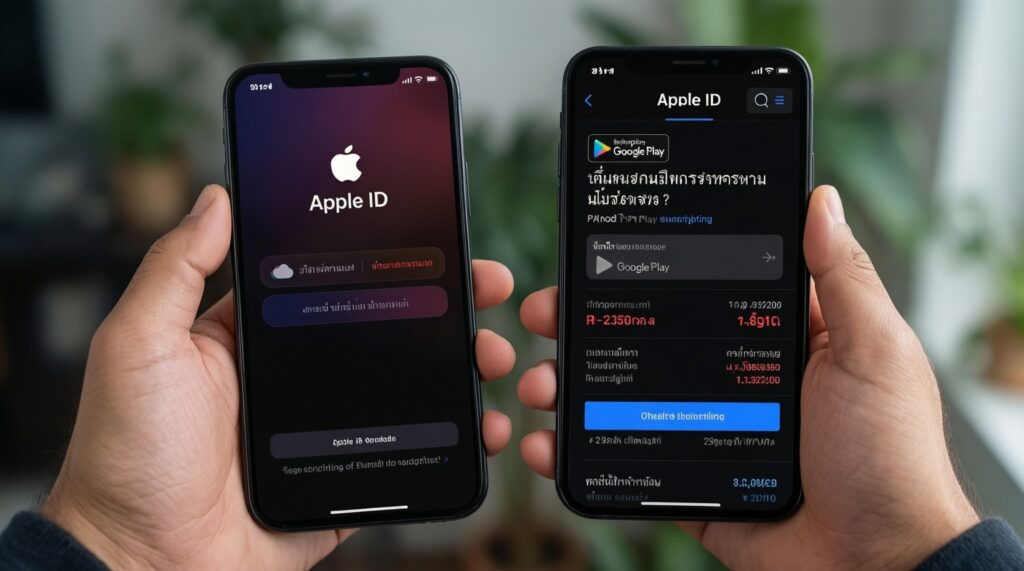
Check inside your Apple ID subscriptions for iCloud+ and inside Google Play subscriptions for Google One; those screens show your current THB billing for your account. Avoid relying on screenshots from other countries because tiers and taxes can differ.
Is "สมัคร iCloud รายเดือน ราคา" the same as iPhone storage?
No. You're paying for iCloud+ cloud storage used for backups and sync, not for physical storage inside the phone. Buy enough for your iCloud Backup + iCloud Photos (if enabled) with headroom.
Does Google One storage include Google Photos?
In many setups, Google storage is shared across Google services, but behavior depends on your account and Photos settings. Verify in the Google One app how storage is being used before upgrading.
แพ็กเกจ iCloud ซื้อแบบไหนคุ้ม for a single user?
The smallest tier that keeps backups running is usually the most cost-efficient. Upgrade only when you consistently hit the limit, not when you have a one-time spike.
Google One แพ็กไหนคุ้ม for a family?
It's typically the plan that supports sharing one pool across members while covering everyone's Drive/Gmail/Photos usage. Confirm each member's device backup approach so you don't pay for storage that doesn't protect their phone.
Samsung Cloud สมัครรายเดือน ราคา-do I need it on a Galaxy phone?
First confirm what your Galaxy model actually backs up to Samsung services versus an integrated provider like OneDrive. If your main need is photo/files across devices, choose the storage ecosystem you'll access daily rather than paying for overlapping sync features.