If you want the smoothest "everything works together" experience, Apple is usually the safest bet; if you want Google-first services and the cleanest Android updates, Google Pixel is the focused choice; if you want the widest hardware range and strong wearables, Samsung fits best. This page helps you decide by lifestyle, not specs alone, in Thailand.
Snapshot for fast decisions
- Best continuity across phone-laptop-tablet: Apple (tight, predictable integration; fewer setup steps).
- Best "Google services by default" experience: Google Pixel (fast Android updates; simplest Google account flow).
- Best Android variety + accessories: Samsung (many price tiers; strong Galaxy wearables and features).
- Best for customization power users: Samsung (deep settings, modes, multi-window), then Pixel (clean but flexible).
- Best for mixed-brand households: Google-first (Pixel) or Samsung paired with Google services; Apple works best when most devices are Apple.
- Fast decision rule: Choose the ecosystem that matches your second device (laptop/tablet/watch), not just your phone.
How devices talk to each other: continuity and synchronization
Verdict: Apple leads for frictionless cross-device continuity; Google leads for account-based sync; Samsung leads for feature depth inside the Galaxy family.
- Cross-device handoff: starting a task on phone and continuing on tablet/laptop with minimal steps.
- Messaging and calling on other devices: reliability of calls/SMS or chat across devices you actually use.
- File transfer flow: speed, simplicity, and whether it works with your work PC (Windows/macOS) and friends' phones.
- Photos and cloud library behavior: automatic backup, sharing, and how easy it is to switch later.
- Login and identity: single account, password/passkey handling, and recovery if you lose a device.
- Accessory pairing: earbuds/watch pairing stability, multipoint behavior, and device switching.
- Update consistency: how predictable OS/security updates feel across your devices (phone, tablet, watch).
- Thailand carrier and locale fit: eSIM readiness, Wi‑Fi calling/VoLTE behavior, and Thai language input stability (test on your target model).
Services and apps: which ecosystem delivers what you use daily
Verdict: Choose based on your daily stack: iCloud/FaceTime/Apple apps vs Google Workspace/Photos/Assistant vs Samsung's add-ons on top of Google.
| Option | Who it suits | Pros | Cons | When to pick |
|---|---|---|---|---|
| Apple ecosystem (iPhone + Mac/iPad + Apple Watch) | People who value minimal setup and consistent UX |
|
|
If "ระบบนิเวศ Apple ดีไหม" is your main question and you already use (or plan to buy) a Mac/iPad/Watch. |
| Google Pixel ecosystem (Pixel + Google services) | Google-first users who want clean Android |
|
|
If your day runs on Google apps and you want the simplest Android baseline. |
| Samsung Galaxy ecosystem (Galaxy phone + Galaxy Watch/Buds + tablets) | Android users who want features and many device choices |
|
|
If you want Android flexibility, wide hardware choice, and a capable watch/earbuds pairing. |
| Hybrid: iPhone + Google services | People who like iPhone hardware but use Google apps everywhere |
|
|
If you're asking "ซื้อ iPhone หรือ Android ยี่ห้อไหนดี" but your workplace is Google Workspace. |
| Hybrid: Samsung phone + Google-first setup | People who want Samsung hardware but prefer Google's app stack |
|
|
If you want Galaxy devices but don't want to be "all-in" on Samsung services. |
Practical switching tip (migration): before changing ecosystems, move your "source of truth" to cross-platform services (contacts/calendar/passwords/notes). For most people in Thailand, using Google Contacts + Google Calendar (even on iPhone) reduces pain when you later switch between Apple, Pixel, and Samsung.
Privacy and security trade-offs for personal and professional use
Verdict: Apple emphasizes on-device workflows and tight controls; Google emphasizes account-based intelligence and sync; Samsung adds enterprise-friendly controls but increases configuration surface.
- If you handle sensitive client data on-device (law/finance/health), then prioritize Apple or a tightly managed Pixel, and enforce passcodes, encryption, and OS updates; avoid heavy third-party "cleaner" apps.
- If your work is Google Workspace-heavy (Gmail/Docs/Meet), then Pixel (or Samsung with Google-first setup) typically reduces account friction and improves recovery when devices change.
- If you travel and rely on public Wi‑Fi, then pick the ecosystem you'll actually keep updated, enable 2-step verification, and use a reputable VPN; security habits beat brand differences.
- If you need device management for a team (small business), then favor Android with managed work profiles (Pixel/Samsung) or Apple with MDM-choose what your IT/admin can consistently maintain.
- If you frequently sideload apps or install APKs, then Android (Samsung/Pixel) demands stricter app-source discipline; keep installs to trusted stores and review permissions regularly.
Flexibility and customization: openness versus curated control
Verdict: Samsung offers the most control; Pixel offers clean flexibility; Apple offers fewer knobs but fewer ways to break your setup.
- List your must-change items: launcher/UI, default apps, automation, split-screen, file system access.
- If you want to change the interface deeply and automate routines, choose Samsung.
- If you want Android freedom without vendor complexity, choose Pixel.
- If you want stable defaults and minimal configuration across devices, choose Apple.
- Check your second device: Mac/iPad pushes you toward Apple; Windows + Google tools pushes you toward Pixel/Samsung.
- Confirm accessory expectations: watch + earbuds + tablet. If you want one-brand convenience, choose that brand's ecosystem.
Cost, hardware variety, and upgrade pathways
Verdict: Samsung gives the broadest hardware ladder; Apple keeps lineups simpler; Pixel is focused but may require extra diligence in Thailand for purchase and support.
- Buying the phone first, then forcing the ecosystem: decide based on your laptop/tablet/watch needs, not just the handset.
- Underestimating cloud lock-in: photos, notes, and passwords create more switching friction than apps.
- Overpaying for features you won't use: if you don't need pro video, stylus, or desktop modes, don't buy for them.
- Ignoring repair and warranty reality: in Thailand, confirm official warranty, service centers, and parts availability for your exact model.
- Assuming "Android is Android": Samsung's layer can feel very different from Pixel; test One UI vs Pixel UI.
- Chasing the cheapest deal without checking bands/eSIM: imported models can complicate carrier features and support.
- Skipping trade-in/upgrade planning: check whether you will resell, trade-in, or hand down devices within your family.
- Not budgeting for accessories: watch/earbuds/case/charger (where applicable) can shift the real total cost.
Smart home, wearables and cross-brand interoperability
Verdict: Apple is best when your home and family are mostly Apple; Google-first (Pixel) is best for mixed-brand smart homes centered on Google services; Samsung is best if you want a strong Android wearable stack and broad phone choice while still integrating with Google-based smart-home setups.
Decision-tree paths for 3 lifestyle types (Thailand)
- Creator / executive (MacBook, iPad, iPhone-leaning):
- Use a Mac daily? → Choose Apple ecosystem.
- Need Google Workspace anyway? → Consider Hybrid: iPhone + Google services.
- Need heavy customization? → Only switch if you accept losing Apple continuity.
- Google-first professional (Gmail, Drive, Meet, Windows laptop):
- Want the cleanest Android + simplest Google flow? → Choose Google Pixel.
- Need more hardware choices and features? → Choose Samsung + Google-first setup.
- Concerned about "ซื้อ Google Pixel ในไทย ราคา"? → Prefer Samsung via official channels.
- Value hunter / feature seeker (best bang-for-buck, lots of accessories):
- Asking "มือถือ Samsung รุ่นไหนดี ราคาคุ้มค่า"? → Start with Samsung and pick a tier that fits your budget.
- Want fewer vendor apps and simpler UI? → Consider Pixel if availability and support work for you.
- Already have Apple Watch/AirPods and want seamless switching? → Choose Apple to avoid accessory friction.
For anyone searching "เปรียบเทียบ Apple vs Google vs Samsung", the practical winner is the ecosystem that matches your daily services and your second device. If your world is Apple hardware, Apple is the smoothest. If your life is Google services, Pixel (or Samsung with Google-first setup) is usually the most efficient. If you want maximum choice and features, Samsung is the most adaptable.
Quick answers to common selection dilemmas
ซื้อ iPhone หรือ Android ยี่ห้อไหนดี if I use Windows at work?
If you're Windows + Google Workspace, Pixel or Samsung tends to be simpler day to day. If you rely on iPhone-specific apps or already own Apple accessories, iPhone can still work-just commit to Google services for cross-platform sync.
ระบบนิเวศ Apple ดีไหม if I only own one Apple device today?
It's "best" when you plan to add at least one more Apple device (Mac/iPad/Watch). With only an iPhone, you'll still get quality apps, but the signature continuity benefits are limited.
Is Samsung too "heavy" compared to Pixel?
Samsung offers more features and settings, which can feel complex. If you want fewer duplicate apps and a cleaner baseline, Pixel usually feels more straightforward.
มือถือ Samsung รุ่นไหนดี ราคาคุ้มค่า for someone who just needs reliable basics?
Pick Samsung if you want many choices and local availability, then choose a model tier that matches your priorities (battery, camera, size) rather than chasing the highest spec. Avoid paying extra for niche features you won't use.
ซื้อ Google Pixel ในไทย ราคา and support: what should I check before buying?
Confirm warranty/service handling, return policy, and whether your carrier features you care about work on that exact model. If any of that is unclear, Samsung via official channels is typically lower risk.
Which ecosystem is easiest to leave later?
Any ecosystem becomes hard to leave if your photos, notes, and passwords are locked into one brand. Using cross-platform services (Google Contacts/Calendar, a cross-platform password manager) keeps switching costs lower.
What's the fastest way to decide in 10 minutes?
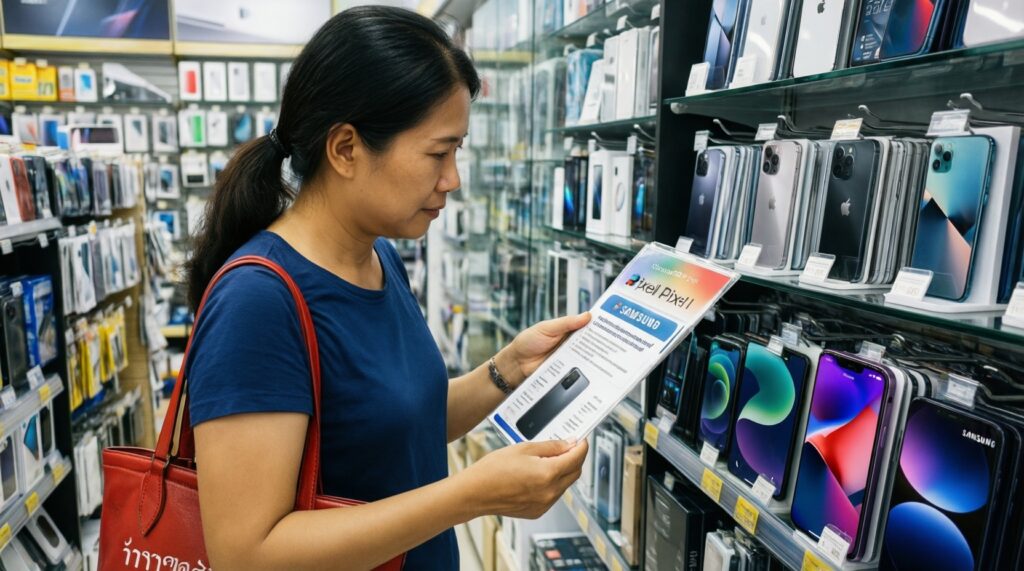
Choose based on your "anchor": Mac/iPad/Watch → Apple; Google Workspace + clean Android → Pixel; widest phone choices + strong wearables → Samsung. Then confirm local purchase/support in Thailand for your chosen model.