If you already rely on an existing ecosystem (devices, cloud, accessories, workflows), upgrading inside it usually minimizes downtime and migration risk, while switching vendor can reduce long‑term lock‑in or improve fit but adds one‑time costs and complexity. Choose by mapping all visible and hidden costs (hardware, plans, apps, accessories, time) against your tolerance for disruption.
Executive comparison summary - stay or switch at a glance
- Stay and upgrade is typically best when your workflows depend on ecosystem features (handoff-like continuity, shared passwords, shared purchases) and you want minimal change management.
- Switch vendor makes sense when your must-have apps/services are cross‑platform already and you want more choice in hardware, pricing, or device management approach.
- Budget planning must include non-hardware items: app repurchases, cloud storage changes, dongles/cables, and accessory replacement.
- Migration effort is driven less by "phone to phone" and more by identity: accounts, MFA, eSIM/SIM, work profiles, and backups.
- In Thailand, ย้ายค่ายมือถือพร้อมโปร ราคา can look attractive, but validate the total cost with add‑ons, device lock terms, and plan constraints.
- If you manage multiple users, operational costs (training, support tickets, downtime) often outweigh hardware price differences.
Cost components when upgrading inside the existing ecosystem
Use these criteria to estimate total impact before you look at a single device spec sheet:
- Hardware delta: device price minus resale/trade‑in value of the current device (your effective upgrade cost).
- Accessory reuse rate: cases, chargers, cables, docks, watches, earbuds. This is where "ซื้ออุปกรณ์เสริม Apple แท้ ราคา" (or equivalent OEM accessory spending) can materially change the math.
- App and subscription continuity: are your paid apps, bundles, and subscriptions kept without repurchase or reconfiguration?
- Cloud/storage continuity: do you keep the same backups, photo library, password manager, and shared family/team storage?
- Repair and warranty strategy: extended coverage, service center access in TH, and replacement device availability.
- Performance and lifecycle fit: whether the upgrade solves a real bottleneck (battery health, camera for work, storage, 5G bands) rather than chasing incremental improvements.
- Compatibility with existing peripherals: car systems, printers, medical/industrial devices, smart home hubs, USB accessories, and corporate tools.
- Management overhead: if you use MDM, profiles, or supervised modes, confirm the new model and OS version are supported with minimal policy changes.
Practical note for Thailand pricing comparisons: when people search อัปเกรดอุปกรณ์ Apple ราคา, the useful number is rarely the sticker price; it's the effective cost after resale, accessory reuse, and time saved by staying consistent.
Visible and hidden costs of switching to a new vendor
Switching can be justified, but only after you price the "shadow items" (time, access, reconfiguration) alongside the device. If you're asking ย้ายจาก iPhone ไป Android คุ้มไหม, treat it as a total-cost-and-friction problem, not a spec comparison.
| Option | Who it fits | Pros | Cons | When to choose |
|---|---|---|---|---|
| Upgrade within current ecosystem (device-only refresh) | Users who rely on continuity features and want minimal disruption | Low migration risk; high accessory reuse; fastest return to productivity | May keep vendor lock‑in; less variety of hardware form factors | When you need a working device fast and your current setup already fits |
| Stay in ecosystem but change tier (standard ↔ pro / base ↔ plus) | Users who want value optimization without changing platform | Usually preserves apps, backups, and workflows; controlled cost | Can under- or over-buy if needs are unclear | When your pain point is specific (battery, storage, camera, screen size) |
| Switch OS and vendor (e.g., iPhone → Android) | Users prioritizing hardware choice, customization, or different ecosystem integration | Broader device selection; may reduce dependence on one vendor; alternative service bundles | Higher migration effort; possible repurchase of apps/accessories; learning curve | When your core tools are cross‑platform and you accept short-term friction for long-term fit |
| Switch vendor with carrier bundle (device + plan) | Users who are price-sensitive and willing to accept contract constraints | Lower upfront cost perception; may include extras | Plan lock-in; device lock/eligibility rules; add-on fees; harder to calculate total | When ย้ายค่ายมือถือพร้อมโปร ราคา is truly favorable after reading all terms and modeling the full period |
| Staged switch (dual-carry for 2-4 weeks, then cutover) | Professionals who cannot afford downtime | Lower risk; easier verification of banking, MFA, work apps | Temporarily higher complexity; may require extra SIM/eSIM planning | When downtime cost is high and you need validation before full migration |
| Hybrid ecosystem (keep some accessories/services, change primary device) | Users with mixed-device households or cross-platform services | Can preserve some sunk costs; flexible gradual transition | More "glue work" (accounts, syncing); uneven experience | When you want to reduce lock-in without forcing every device to switch at once |
Cost checklist for switching (often missed when estimating เปลี่ยนมือถือย้ายค่าย ค่าใช้จ่าย):
- Replacement accessories (cases, chargers, cables, adapters, watch/earbuds compatibility)
- Paid apps that do not transfer, plus in-app purchases tied to the old platform
- Cloud migration steps (photos, notes, password vault, file sharing permissions)
- Re-enrollment into corporate MDM/work profile and re-approval of security controls
- MFA re-binding (banking apps, authenticator, passkeys, hardware tokens)
- Support time (your own time or IT/helpdesk time)
Compatibility, interoperability and migration complexity
Use scenario rules to predict friction before you commit:
- If you use platform-tied messaging/face-time style calling daily with family or teams, then switching will add coordination overhead unless everyone is already on cross‑platform apps.
- If your work uses MDM policies, per-app VPN, or managed apps, then verify the target OS is supported and your admin can re-enroll you quickly; otherwise prefer an in-ecosystem upgrade.
- If you depend on a smartwatch/earbuds with seamless switching, then treat accessory replacement as mandatory cost; staying may be cheaper even when the new phone seems cheaper.
- If your identity stack is already cross-platform (Google/Microsoft sign-in, third‑party password manager, cloud photos/files), then switching vendor becomes a medium-risk migration rather than a high-risk one.
- If you use local Thai banking apps with device binding and strict security checks, then plan a staged switch to avoid lockouts and to ensure SMS/eSIM, email, and authenticator are stable first.
Operational impact: downtime, training and change management
- Inventory dependencies: list the top 10 apps/services you cannot lose for 48 hours (banking, MFA, work chat, email, ride-hailing, maps).
- Classify each dependency: cross‑platform / platform‑tied / unknown. Anything "unknown" gets tested before buying.
- Model your time cost: count setup hours for accounts, MFA, app reinstall, and learning changes; decide if you can do it in one sitting or need a staged switch.
- Plan your connectivity cutover: decide SIM vs eSIM, verify carrier process, and confirm any plan constraints so you don't get surprised during ย้ายค่ายมือถือพร้อมโปร ราคา steps.
- Run a pilot: test 3-5 critical flows (bank transfer, work VPN, file sharing, camera upload, payments) on the new device before final cutover.
- Set a rollback path: keep the old device usable until you confirm MFA, banking, and work access are stable.
- Freeze changes for 72 hours: avoid OS upgrades or major app changes right during migration to reduce variables when troubleshooting.
Security, compliance and vendor lock‑in considerations
- Underestimating account recovery: switching without tested recovery email/phone and backup codes increases lockout risk.
- MFA chaining failure: moving authenticator after you've already moved the SIM/eSIM (or vice versa) can break access; sequence matters.
- Assuming backups are portable: some backups restore only within the same platform; confirm what actually migrates (photos vs app data vs settings).
- Ignoring passkeys/secure enclave ties: device-bound credentials may not "move"; plan re-issuance and re-login flows.
- Overlooking corporate compliance: work data may require encryption, screen lock, and MDM enrollment; switching without IT validation can block access.
- Not pricing accessory lock-in: proprietary watch/earbuds integration can be the real cost driver; always list what you must replace (often hidden behind "ซื้ออุปกรณ์เสริม Apple แท้ ราคา" searches).
- Focusing only on sticker price: "อัปเกรดอุปกรณ์ Apple ราคา" comparisons can mislead if you ignore resale value, app repurchases, and time lost.
- Skipping device hygiene: selling/handing down the old device without secure wipe, account sign-out, and theft protection removal is a common breach pathway.
Decision matrix with a stepwise decision tree and table
Mini decision tree (yes/no checkpoints)
- Do you depend on platform-tied features daily (continuity, platform-exclusive messaging/calls, tight watch/earbud integration)?
- Yes: favor upgrading inside the existing ecosystem.
- No: go to the next checkpoint.
- Are your critical apps and identity stack cross-platform (Google/Microsoft, third‑party password manager, cross‑platform chat)?
- Yes: switching is feasible; go to checkpoint 3.
- No: upgrade inside the ecosystem or first migrate services to cross‑platform tools.
- Can you tolerate 1-2 weeks of extra support/time (setup, learning, troubleshooting)?
- Yes: consider switching vendor or a staged switch.
- No: stay and upgrade; optimize tier to manage budget.
- Is a carrier bundle the main driver (you're drawn by ย้ายค่ายมือถือพร้อมโปร ราคา)?
- Yes: validate lock-in terms, add-ons, and exit costs; compare to buying unlocked.
- No: buy unlocked and decide based on workflow fit and migration risk.
Decision-table view (risk, cost, and effort)
| Checkpoint | If YES | If NO | What to do next |
|---|---|---|---|
| Platform-tied workflows are critical | Stay and upgrade (lowest disruption) | Switch is viable | List which features you would lose; assign an acceptable workaround |
| Accessories can be reused | Stay is cost-efficient | Switch costs rise (replacement likely) | Price accessory replacement; include chargers/cables/docks/wearables |
| Apps/data migrate cleanly | Switch effort is moderate | Switch effort is high | Run a migration pilot; if failures occur, prefer staged switch or stay |
| Carrier deal is truly better over time | Bundle can be reasonable | Unlocked may be better | Read eligibility, device lock rules, add-ons; model total เปลี่ยนมือถือย้ายค่าย ค่าใช้จ่าย |
| You can accept learning/support overhead | Switch is realistic | Stay reduces downtime | Choose the option that fits your timeline and support capacity |
Best fit tends to look like this: upgrade within your current ecosystem if you want the lowest operational risk and you have significant accessory/app continuity (often the deciding factor behind อัปเกรดอุปกรณ์ Apple ราคา). Switch vendor if your tools are already cross‑platform and you can absorb migration effort-especially when you've validated the real total cost beyond a headline carrier bundle.
Brief clarifications and scenario‑based answers
Is switching from iPhone to Android worth it in practice?
ย้ายจาก iPhone ไป Android คุ้มไหม depends on whether your daily workflows are platform-tied. If your critical apps, cloud, and identity are cross‑platform, switching can be reasonable; if not, expect higher setup time and more "small frictions".
What cost items are most often forgotten when changing ecosystems?
Accessory replacement, app repurchases, and MFA re-binding are the common misses. Those are typically the hidden core of เปลี่ยนมือถือย้ายค่าย ค่าใช้จ่าย.
How should I evaluate carrier bundles in Thailand?
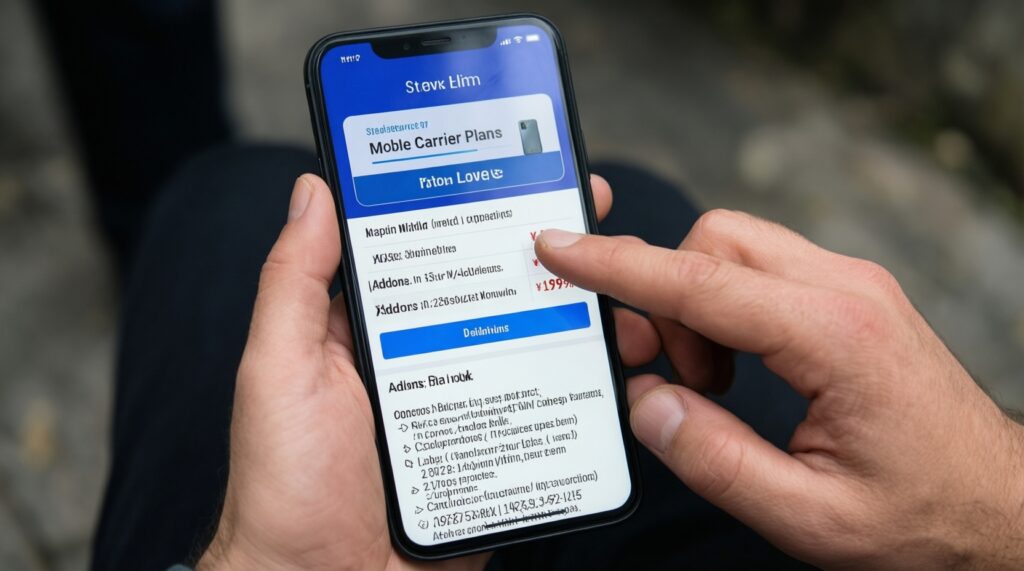
When considering ย้ายค่ายมือถือพร้อมโปร ราคา, check device lock conditions, plan add-ons, and what happens if you change/terminate the plan. Compare against buying an unlocked device plus a plan you can change freely.
Do I need to buy original accessories when I stay in the same ecosystem?
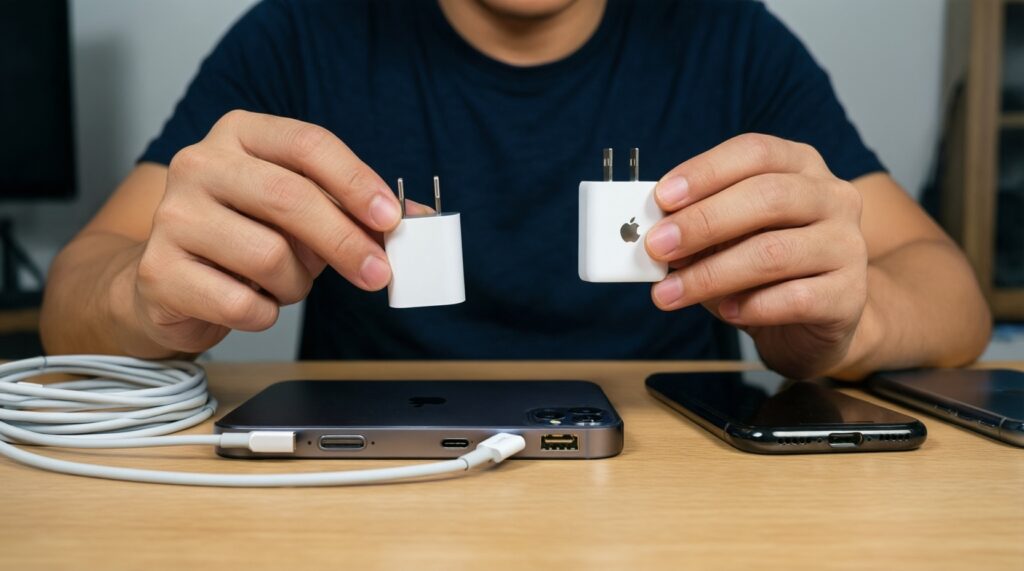
Not always, but you should budget realistically if you require certified accessories for reliability. Many users underestimate ซื้ออุปกรณ์เสริม Apple แท้ ราคา (or the equivalent OEM accessory spend) when ports or charging standards change.
What's the safest migration approach if I can't risk losing banking or MFA access?
Use a staged switch: keep the old device active, migrate accounts in a planned sequence, and confirm banking/MFA before final cutover. Avoid moving SIM/eSIM and authenticator on the same day unless you have recovery codes tested.
When is an in-ecosystem upgrade the clear low-friction choice?
If you depend on tight device-to-device features and you need productivity immediately, staying is usually the lowest-risk path. It also tends to maximize reuse of accessories and prior purchases.